
The CSV import guide: get your prospects in clean
Export straight from Ahrefs, build your own CSV, or bring Semrush and Moz data.
Updated July 14, 2026
The easy way: export straight from Ahrefs
If you have Ahrefs, you don't need to build anything. Go to Site Explorer, enter your competitor's site, open the Backlinks report, and click Export (CSV). Upload that file to HeyLinks exactly as it comes. No editing, no reformatting, no template needed. We read Ahrefs exports natively, including their unusual file encoding.
Step-by-step: exporting a competitor's backlinks
Say you run a funeral home directory and want more prospects than your last pull found. A competitor like parting.com has thousands of pages linking to it, and every one of those pages is a potential prospect for you. Here's the whole export, three clicks long.
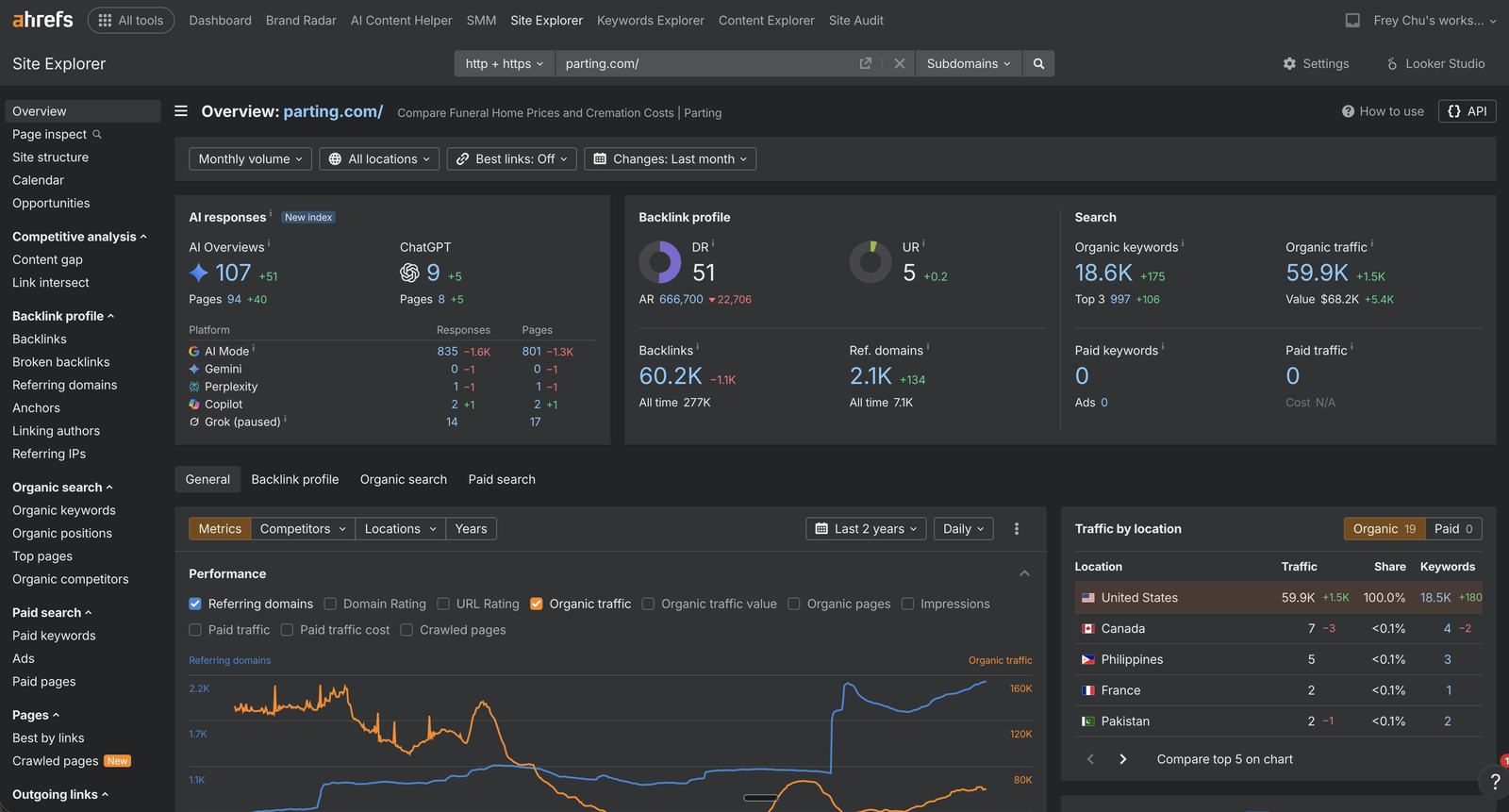
1. Open the competitor in Site Explorer. Enter the competitor's domain. On the Overview you'll see their Backlinks count in the Backlink profile card. That number is your prospect pool. Click Backlinks in the left sidebar to open the full report.
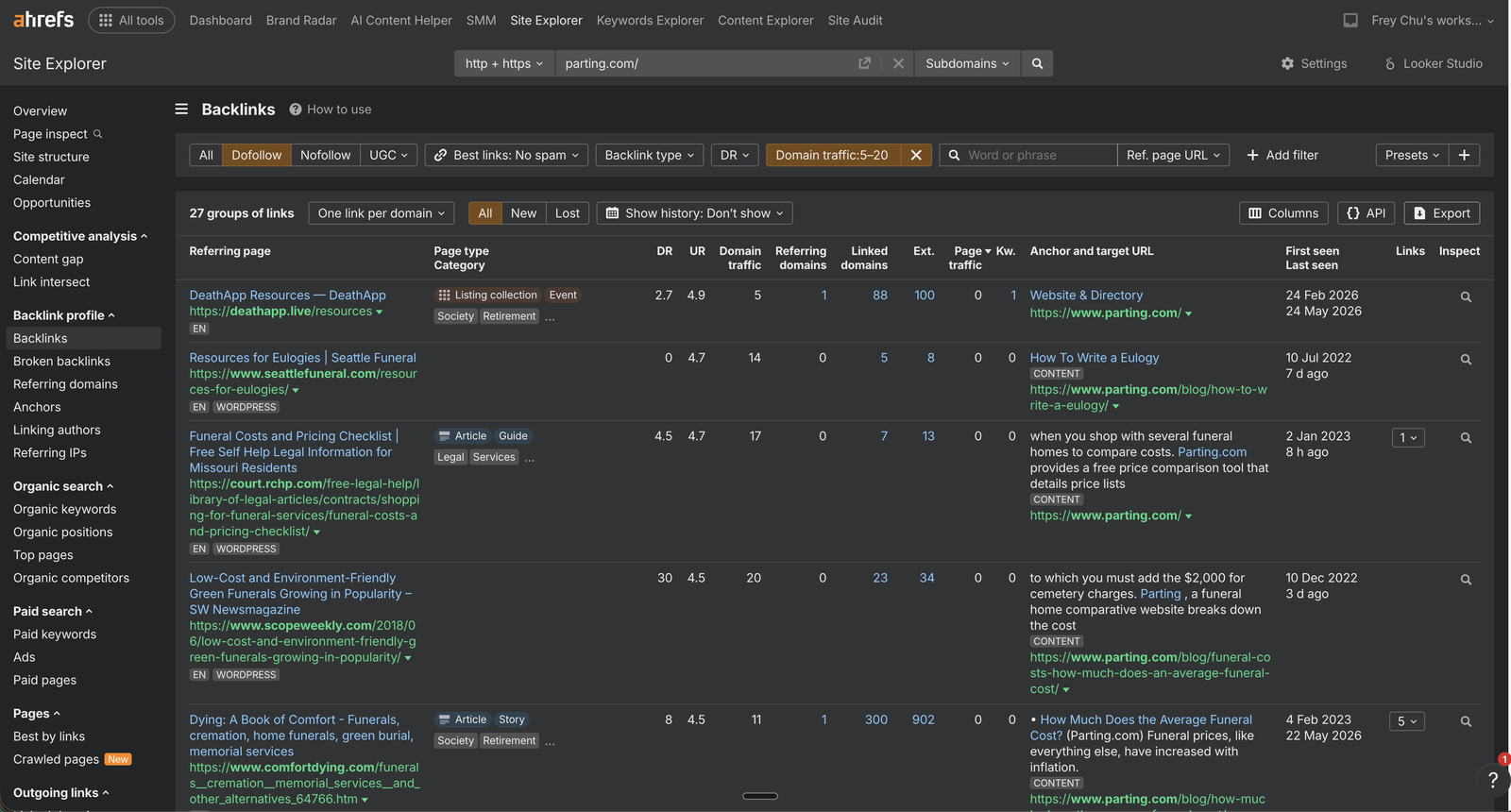
2. Optionally filter, then hit Export. Filters are optional. HeyLinks applies its own quality filters on import, so uploading the raw list works fine. If you prefer to trim in Ahrefs first (dofollow only, a traffic range, no spam), apply those at the top. Then click Export in the top right of the table.
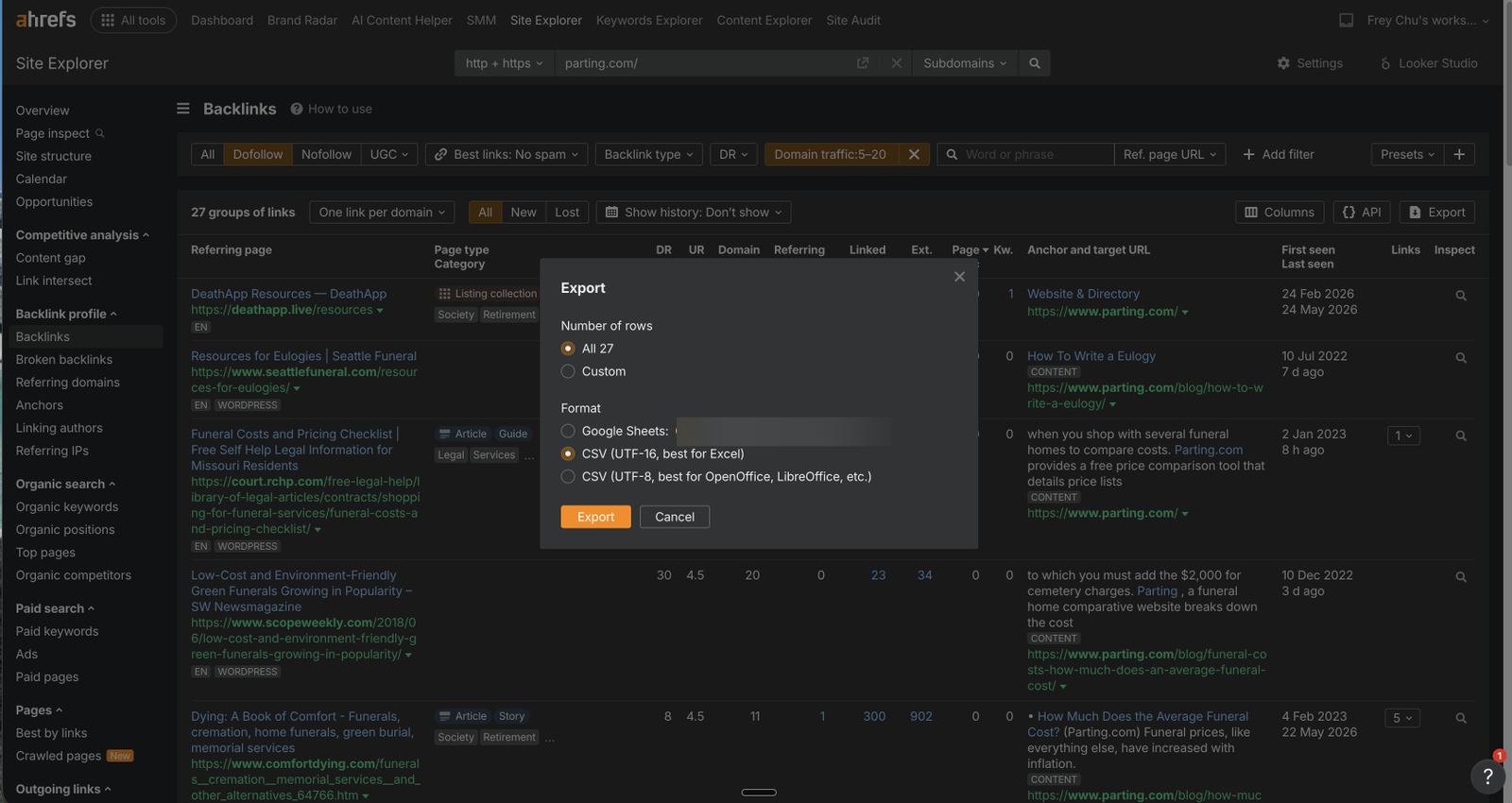
3. Choose CSV and download. In the export dialog, pick how many rows you want and choose either CSV format. Both work in HeyLinks; we handle the encoding either way. Then upload the downloaded file on the Import CSV page.
Building your own CSV, or using Semrush, Moz, or another tool
Only one column is required: a URL column holding the referring page addresses. Name it Referring page URL or simply URL. Every other column is optional, and anything we don't recognize is simply ignored.
Already have a contact email for a page? Put it in the Email column. Rows that come in with an email can skip Qualify Sites entirely and go straight to Review Leads, so you can start drafting right away.
Want a head start? Download the CSV template. It has the exact column names plus two example rows showing what good data looks like. Fill it in, delete the example rows, and upload.
Columns we read
| Column name | What it is |
|---|---|
| Referring page URLrequired | The page that links out |
| Referring page title | The page's title |
| Domain rating | The site's 0 to 100 authority score |
| Domain traffic | The site's monthly organic traffic |
| Page traffic | That page's monthly organic traffic |
| Anchor | The link's anchor text |
| Target URL | The exact competitor page being linked to |
| A contact email, if you already have one |
What happens when you import
We keep your list clean automatically. Duplicate pages are merged, spam-flagged and dead pages are filtered, pages already tracked under another competitor are skipped, and rows we can't read (formatting problems) are skipped rather than breaking your upload. After every import you get a full breakdown of exactly what came in and why anything was left out. The button says "up to N prospects" because the final count after cleanup can be a little lower.